Mission control for live event content
Multiple crews, multiple pieces of content, one live event: EventFlow keeps everyone on the same truth while it’s happening. Shots, crew, call sheets and approvals, together in one console.
See the whole loop in three minutes
A guided tour of a live production, the Kingsmere Invitational: plan the shots, brief the crew with a link, capture with real timestamps, ship the posts. Real screens throughout.
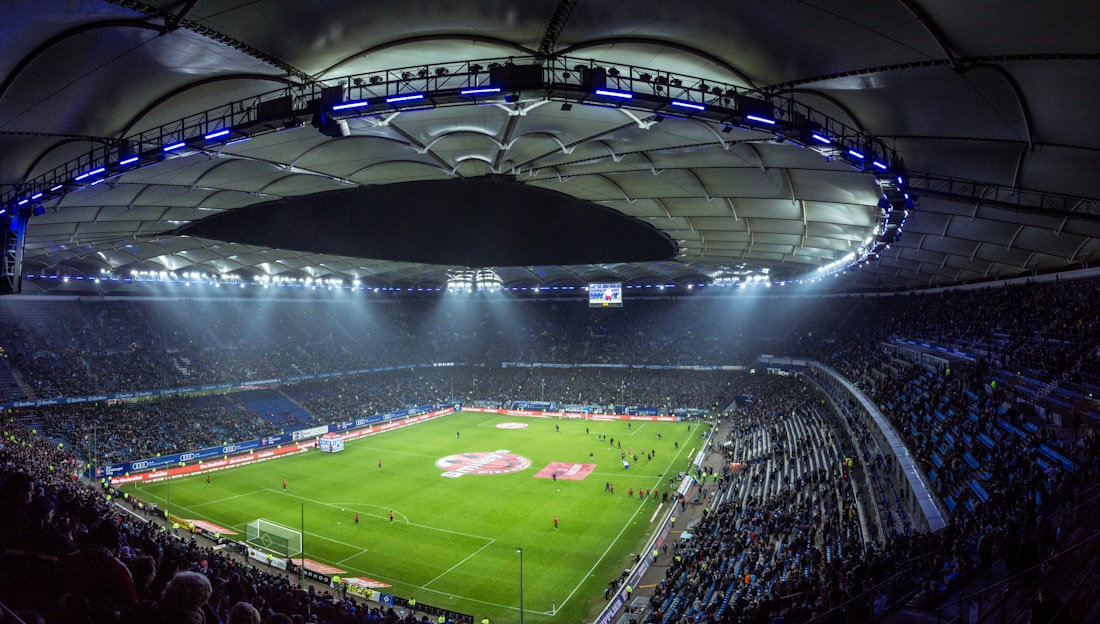
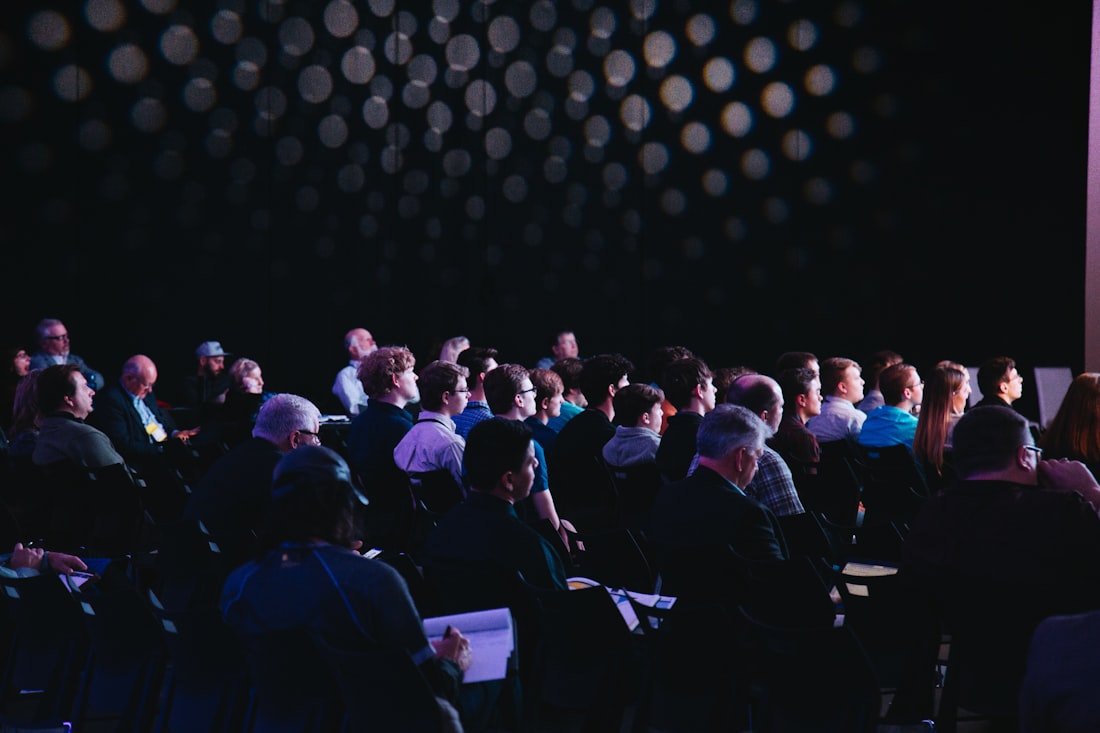
Arenas. Main stages. Expo floors.
EventFlow was built running multi-day festival coverage, and it fits any shoot with a run of show: doors, kick-off or keynote.
Doors to wrap, captured to posted



Drop a brief. Watch the plan build itself.
AI reads your deck or run-of-show and extracts the production: locations, shotlist and deliverables. You review, then it builds the whole project.
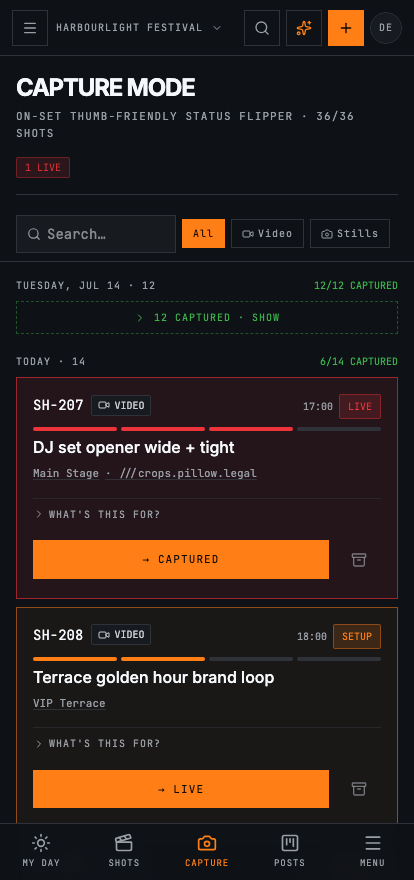
Run the day from your phone
Capture Mode is a thumb-friendly status flipper your whole crew uses on set. Tap a shot from queued to live to captured, grouped by shoot day, searchable, with undo and offline awareness so the floor keeps moving.
- queued → setup → live → captured, one tap
- Captured work sinks into a collapsed tail, so the next shot is always on top
- Installs to your home screen; filter to your shots, search by code, talent or location
One link briefs the whole crew
Mint a public day link and drop it in the crew chat. Anyone who opens it sees the run of show, general call, live weather, key contacts and directions on their phone. No logins, no PDF attachments.
- Whole-team call sheet or per-person sheets, revocable any time
- QR hand-off for the production office wall
- Add-to-calendar and print, one tap each
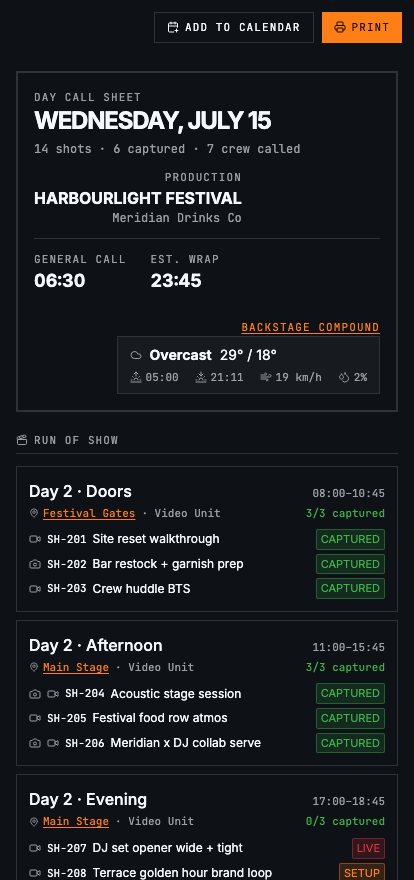
The live call sheet · no login needed
From capture to scheduled post
Drag captures onto the calendar and draft on-brand captions with AI. Try both right here.
Every part of the shoot, instrumented
← Drag to explore →
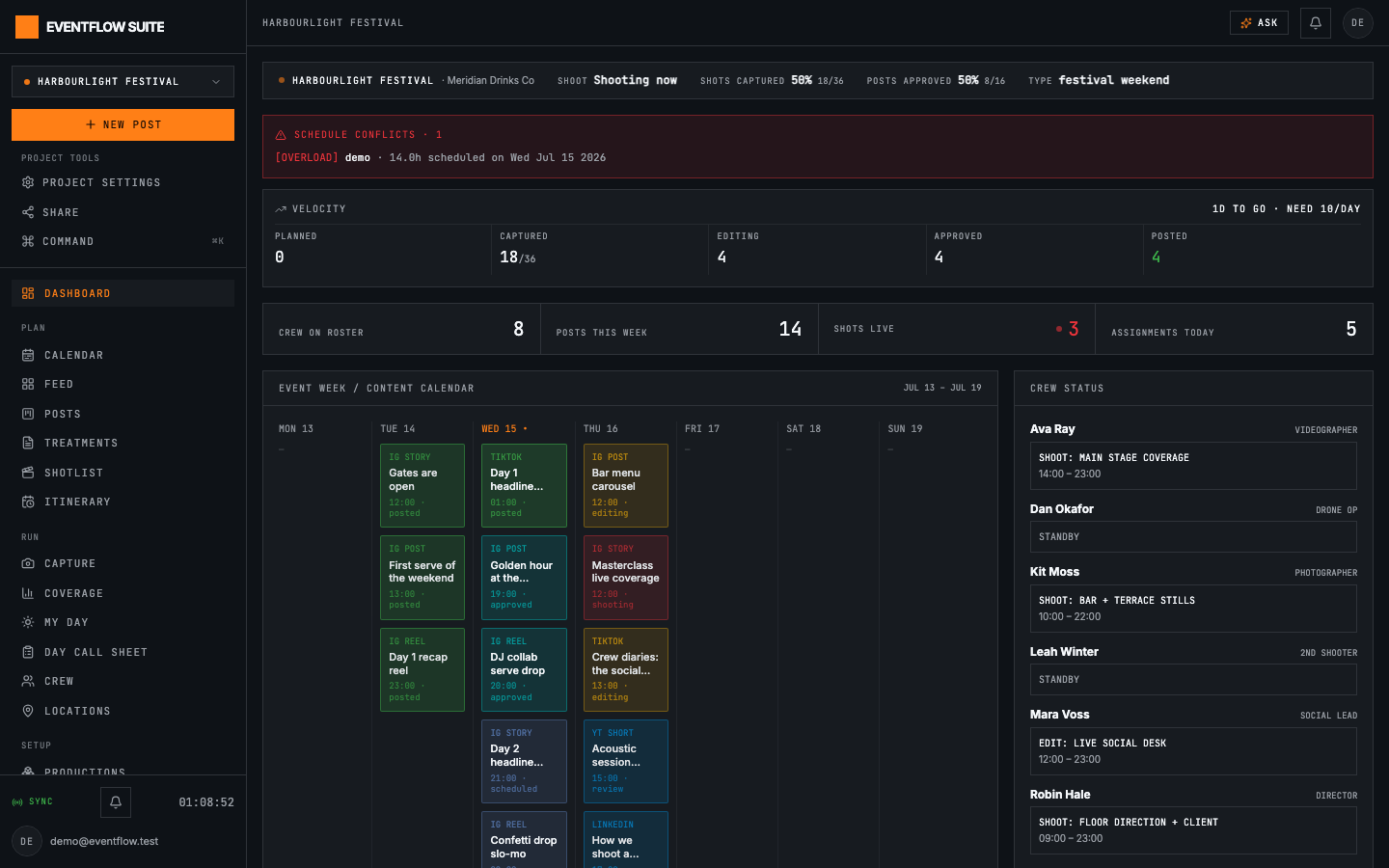
Live readouts: health, velocity, conflicts and the week ahead
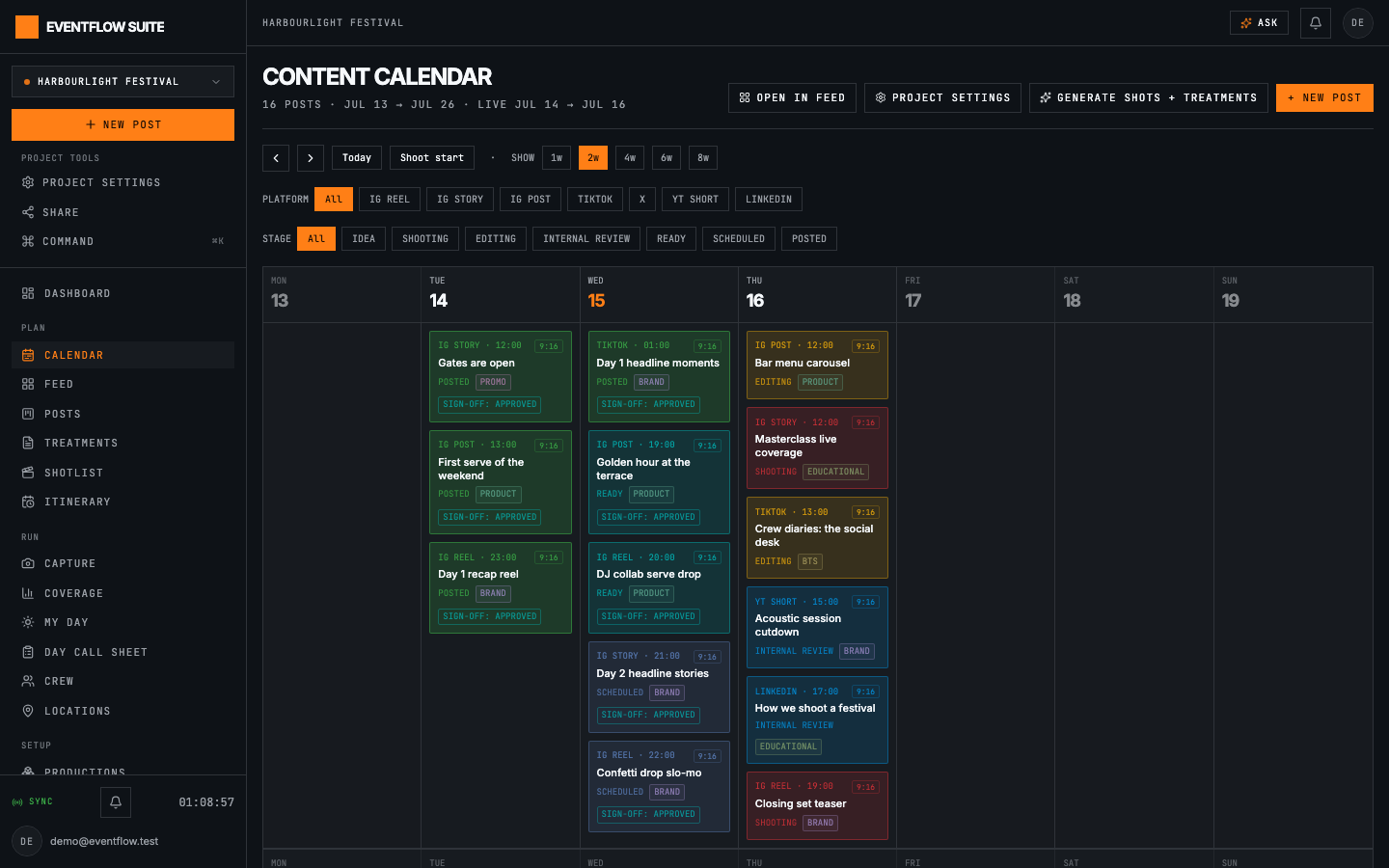
Drag-and-drop scheduling across the shoot window
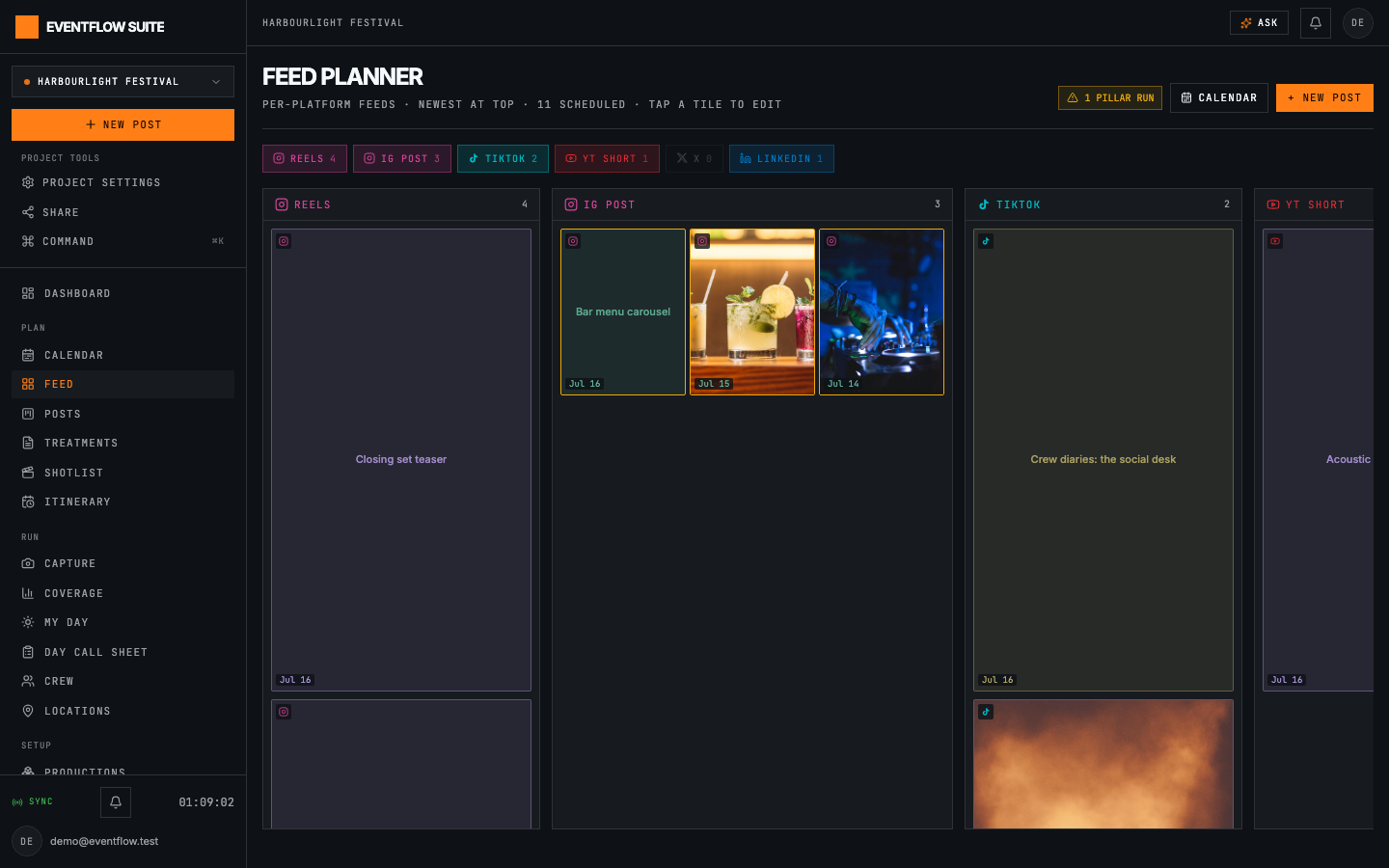
Visual grid preview with pillar-run warnings
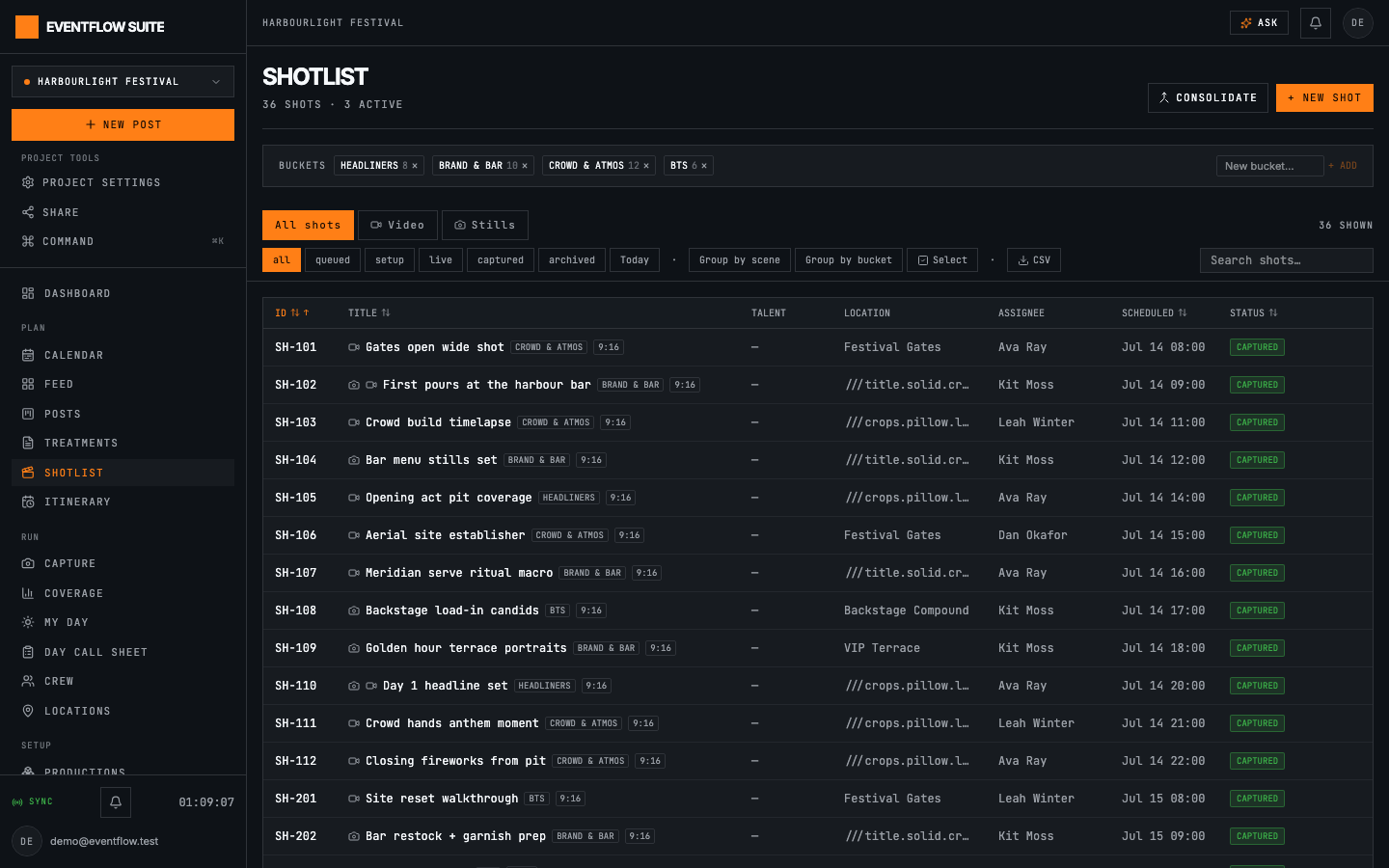
Sortable, batchable shot table with one-tap status flips
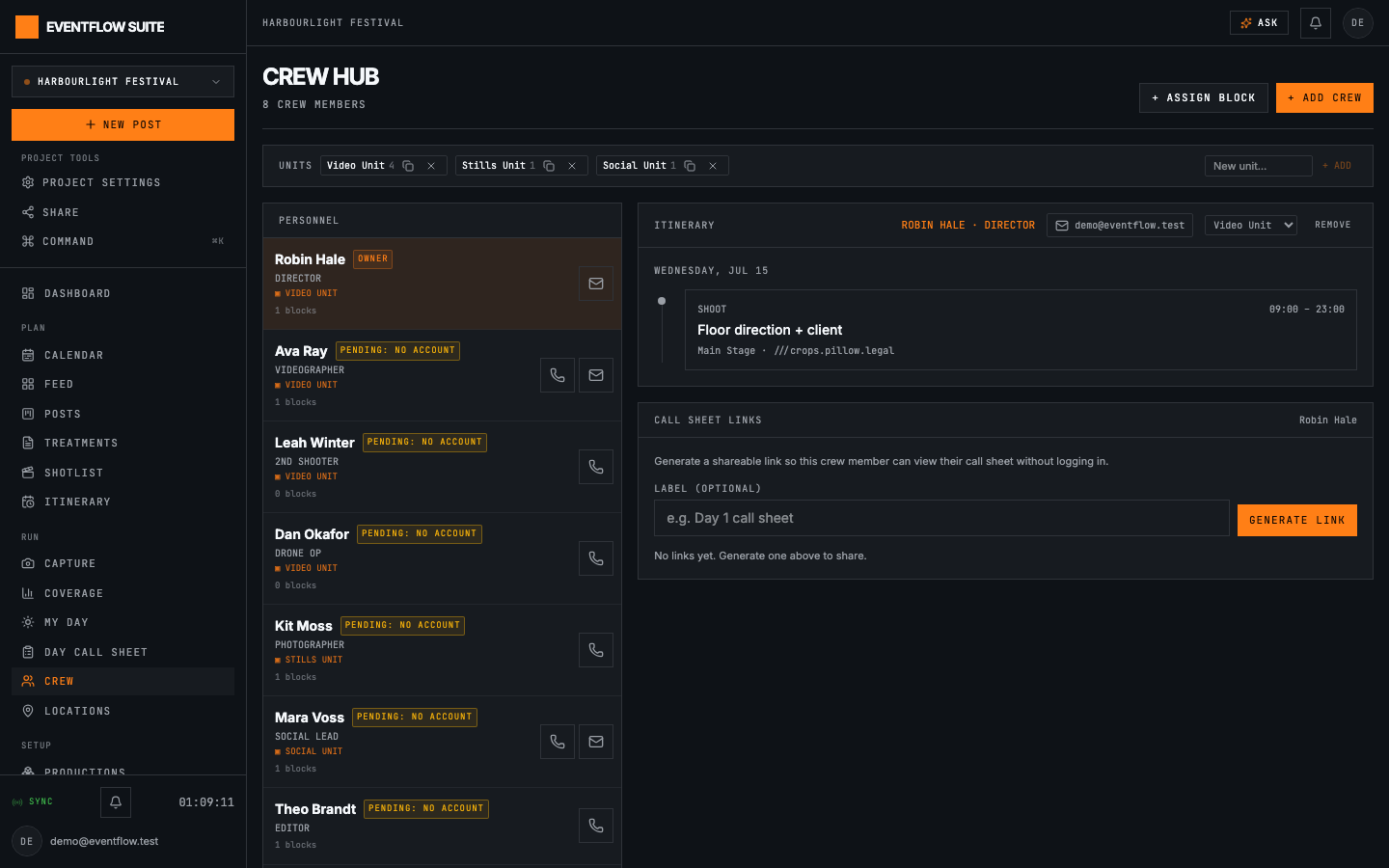
Units, roster and call sheets; call or email anyone in a tap
Built for festival weekends. Sized for Tuesday's shoot.
Give a new production a name, a date and a call time and you have a working day plan. Duplicate a past production to reuse its crew, locations and shot structure. A two-person brand shoot runs on the same console as a forty-crew festival.
Bring your own key, or let us run it
- Your own Anthropic or Gemini key
- Every AI feature, unlimited, on your key
- 1 production · capture, calendar & call sheets
- Managed AI, no key needed (or use your own)
- 15 imports + 120 AI generations / month
- 5 productions · 8 crew seats
- Managed AI, no key needed (or use your own)
- 60 imports + 600 AI generations / month
- 12 productions · 20 crew seats
Need more? Extra productions or crew seats are £5/mo each on any plan.
Common questions
What is EventFlow Suite?
An all-in-one shoot-management tool for teams capturing content at live, multi-day events: from planning the shot list to running the day on-site to publishing the social deliverables.
Who is it for?
Content production teams, agencies and in-house social teams who shoot at events, and small crews running single-day brand shoots. If crew, captures and the posting calendar need to stay in step, it fits.
Do my crew need accounts?
No. Add anyone to the roster by name, assign them shots, and send them a call-sheet link: the whole day works on their phone without a login. Accounts are only for people editing the plan.
How does the AI work?
Claude (or Gemini, on your own key) does the work server-side for Smart Import and caption drafting. Your content does the job you asked for; nobody trains models on it.
Does it work on set without signal?
Capture is offline-aware: the console flags the moment you lose connection, keeps everything already loaded on screen, and re-syncs live data when you're back. Saves need signal; when a tap can't get through, you see it fail on the spot.
Is it only for big events?
No. A new production takes a name, a date and a call time and gives you a working single-day plan; duplicate any past production to reuse its structure. Small shoots use the same console with less of it switched on.
What does it cost?
Free to start (one production, no card). Pro is £39/month for more productions, AI and crew seats; see pricing.
Run your next shoot in EventFlow
Set up your first production in under a minute. Free to start, no card required.